WordPress Contact Form Spam Protection
JevShield checks message semantics on your WordPress server before forms send emails. Stop unsolicited SEO pitches, crypto scams, and phishing attempts without frustrating genuine buyers with visual puzzles.
1-Click Setup: Observe, Audit, Then Block
- Install from WordPress.org: In WP Admin, open Plugins → Add New Plugin, search for JevShield AI Anti-Spam for Forms, then install and activate. Confirm version 1.1.0 or later and the Protection Mode setting. For manual installation, download the ZIP and use Upload Plugin.
- Connect your API Key: In WP Admin → Settings → JevShield AI, enter your key. New installations default to Observe only. Existing configured installations keep blocking until you change Protection Mode. Observation still processes submitted content and uses quota.
- Audit Detection Logs: Submit test messages. Compare the verdict with the plugin’s reported action in your JevShield account, then check actual delivery in your form system. Filter Uncertain — review to inspect uncertain checks; the logs do not hold or restore emails.
- Enforce Blocking: After reviewing a representative set of your real inquiries and spam, switch Protection Mode to Block high-confidence spam. Continue monitoring for false positives; past results do not guarantee future accuracy.
Supported WordPress Form Builders
JevShield integrates seamlessly with the WordPress ecosystem at the hook level. It supports:
Native hook: wpcf7_spam validation filter.
Native hook: wpforms_process_filter hook.
Elementor form submission validation action.
Native preprocess_comment hook for blog spam.
Contact Form 7: Setup and First Delivery Test
Requires WordPress 5.8+ and PHP 7.4+. The plugin hooks into Contact Form 7 spam validation; it does not replace the form builder or mail transport. Check compatibility on a staging site after updates.
- Create your free JevShield key, install the plugin from WordPress.org, then save the key under Settings → JevShield AI.
- Select Observe only. Under Contact → Contact Forms, make sure your form includes a message textarea. Keep existing validation, bot protection and mail settings.
- Submit the examples below using an email address you control. Open Account → Detection logs; compare verdict, reported action and actual email delivery.
- Review a representative sample of your own legitimate inquiries and unwanted messages before switching to Block high-confidence spam. Review verdicts remain allowed by this plugin.
Which fields are checked?
For Contact Form 7, the plugin combines textarea values and text fields named for message, comment, body, content or subject. It also includes the first email field and a matching name field. It sends these values to JevShield for processing; read the privacy policy before collecting sensitive submissions.
[text* your-name]
[email* your-email]
[text your-subject]
[textarea* your-message]
[submit "Send"]
Three examples to test on your site
Synthetic test inputs, not measured results. Record the actual verdict and delivery for each.
- Normal inquiry: “I run a cafe and need a website redesign next month. Could you send a quote?” Check that the email arrives.
- Unsolicited pitch: “Dear Webmaster, we sell high DA backlinks and guest posts. Reply for pricing.” Observe only should permit delivery regardless of the verdict. In Block mode, rejection requires a block verdict meeting your threshold.
- Boundary case: “We need help improving our own website SEO. Do you offer consulting?” This is a potential customer inquiry containing SEO terms; inspect any block or review recommendation manually.
Public Demo Check: October 3, 2026
The three synthetic messages above were sent to the live public demo. All returned HTTP 200 with engine jev. These are demo verdicts, not a WordPress email-delivery test or a representative accuracy benchmark. Results can vary.
| Example | Observed verdict |
|---|---|
| Normal inquiry | Allow |
| Unsolicited pitch | Block |
| SEO customer inquiry | Allow |
Contact Form 7 Delivery Lab: October 3, 2026
We exercised the installed JevShield 1.1.0 plugin with WordPress 7.1.1, Contact Form 7 6.1.7 and a local Mailpit mailbox. The verdicts and transport failure below were injected fixtures, while form validation and mail sending used the actual WordPress hooks. All addresses and messages were synthetic; no email went to an external recipient. This verifies integration behavior, not live classifier accuracy or your production mail delivery.
| Mode and injected result | CF7 result | New captured mail |
|---|---|---|
| Observe + block verdict (score 0.99) | mail_sent | 1 |
| Block + block verdict (score 0.99, threshold 0.85) | spam | 0 |
| Block + allow verdict (score 0.05) | mail_sent | 1 |
| Block + transport unavailable | mail_sent | 1 |
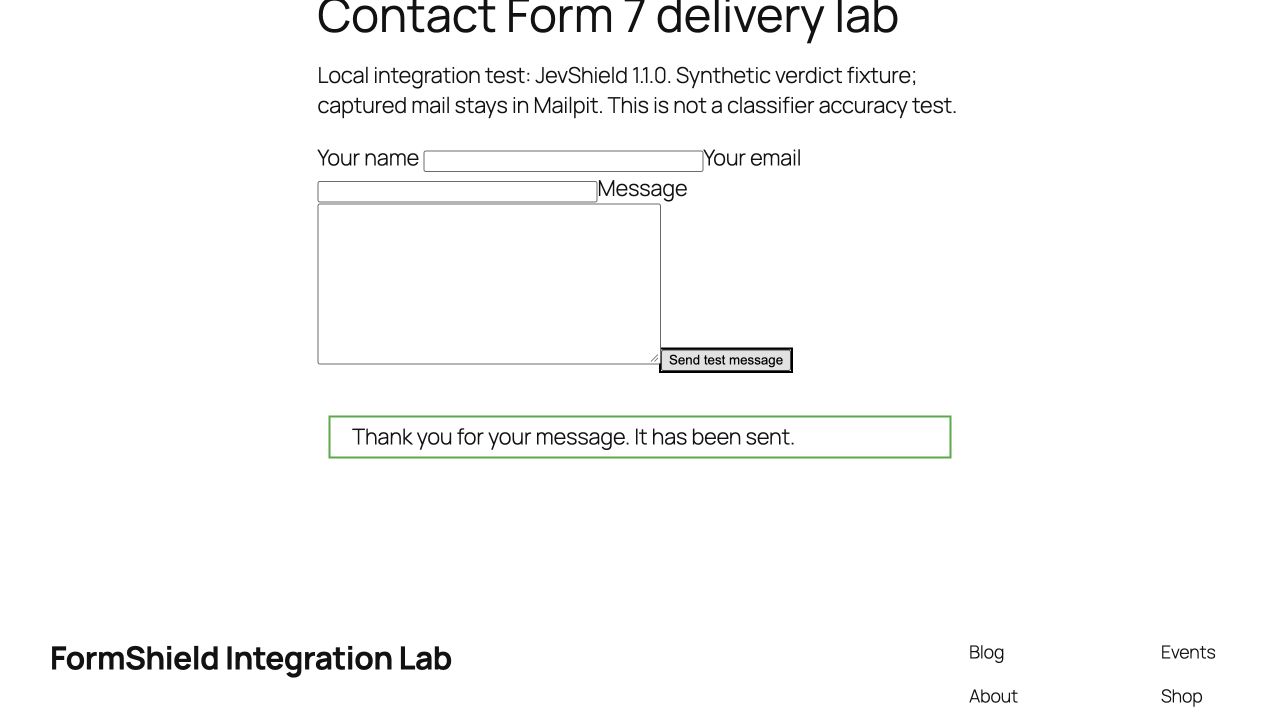
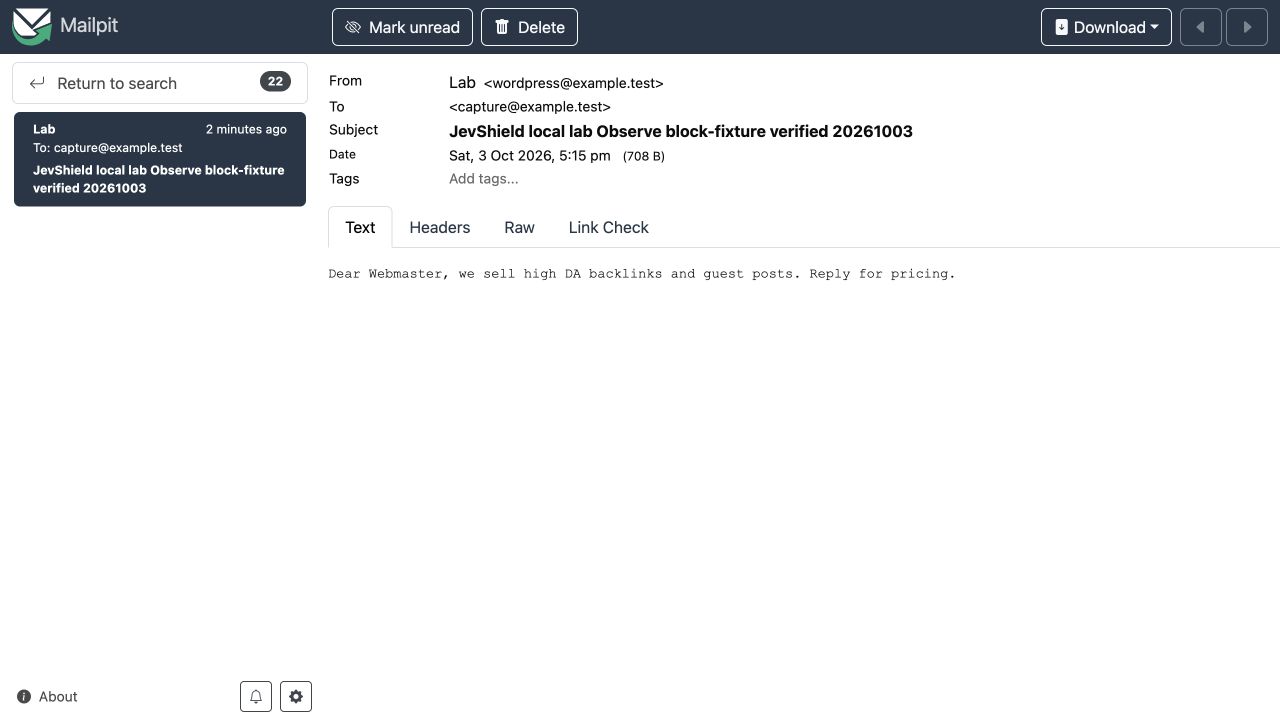
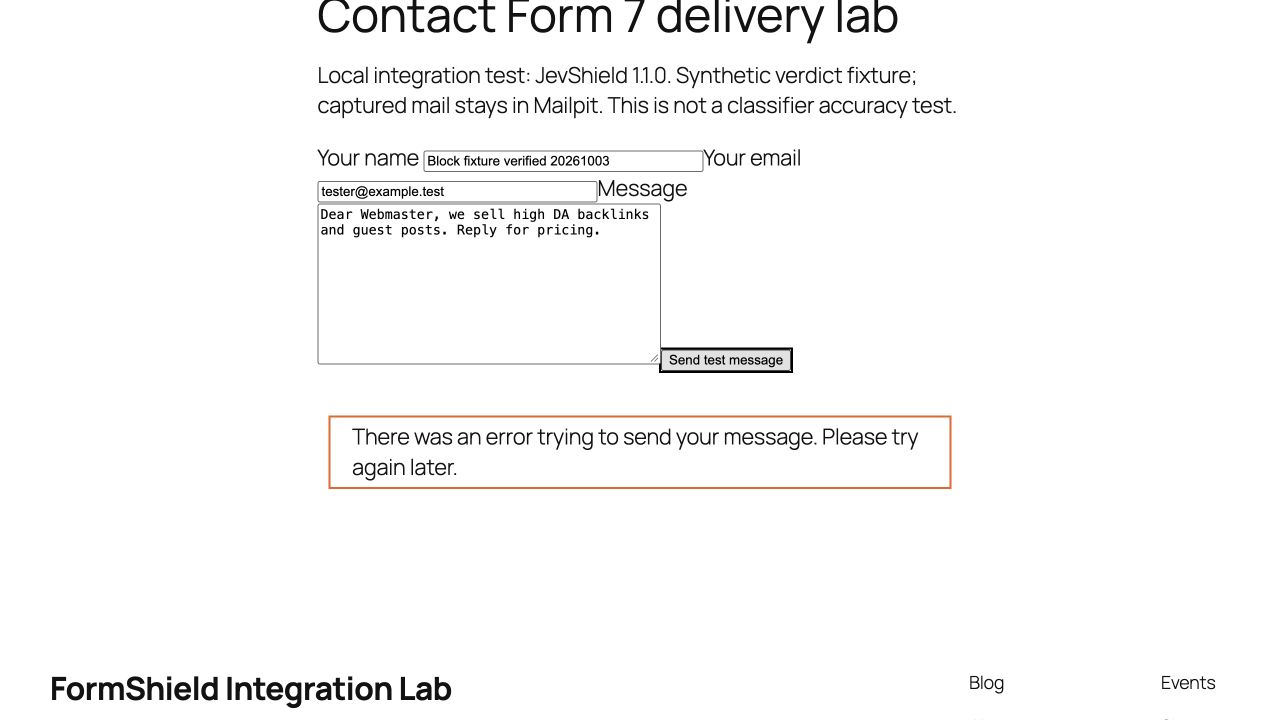
Failure case: when transport was deliberately unavailable, Block mode still sent the message under the fail-open policy. A successful form response therefore does not prove a message was checked. Verify the decision log and your mailbox separately; if checks fail, inspect the API connection, quota and six-second timeout.
If the result or delivery looks wrong
The WordPress check times out after six seconds and permits delivery when unavailable, including exhausted quota. A record does not prove an email was delivered: check Contact Form 7 validation, other spam plugins and mail transport separately. Detection logs are not a quarantine mailbox and cannot restore emails.
Why Add Message Filtering Alongside Bot Checks?
Bot checks assess visitor behavior. Content filters assess submitted messages. A person may pass a browser check and still send an unsolicited pitch; evaluate both layers with your own data.
If a genuine enterprise prospect visits your site from a corporate VPN, mobile carrier network, or hotel Wi-Fi, their IP may already be on a shared blacklist. IP reputation alone is not proof of unwanted message intent. False-positive behavior depends on the service and configuration.
The classifier evaluates message intent using TypeSafe Jev rather than making an IP-ban decision. It can still misclassify content. Start in Observe only, review results, and keep your existing bot checks.
Verifying Email Delivery on Your Site
Test both legitimate and abusive submissions to verify the integration on your staging or production site:
- Legitimate Lead: Try “Hi, I need a consultation for a custom redesign project with a $15k budget.” Check the actual verdict and confirm that your form delivers it.
- Unsolicited Pitch: Try “Dear Admin, we provide guaranteed high DA backlinks for $20.” Check the verdict, then verify that Block mode rejects a block verdict at or above your configured threshold.
- Observe Mode Safety: Repeat the same checks in Observe only. JevShield should report an allowed action and avoid blocking, including when it recommends a block. Other plugins, form validation and mail delivery can still affect the submission.
WordPress Form Spam Filter: Common Questions
How do I check whether a WordPress contact form is receiving spam?
Install the JevShield plugin in Observe only mode. Each Contact Form 7, WPForms or Elementor submission is checked and logged with a verdict and reason, but nothing is blocked, so you can review real messages before turning on Block mode. You can also paste a message into the live demo without an account.
Does a WordPress form spam filter replace reCAPTCHA or Turnstile?
No. reCAPTCHA and Turnstile check the visitor; JevShield checks the message text. A person can pass a browser check and still send an unsolicited SEO or backlink pitch, so the two layers cover different problems. Keep your bot check and add message filtering alongside it.
Will JevShield block genuine enquiries on my WordPress site?
It can return uncertain verdicts, which is why the plugin starts in Observe only mode and review results are not auto-blocked. Compare verdicts with your real submissions first, then choose a block threshold. If the API is unavailable, submissions pass through.
Is the WordPress plugin free?
The plugin is listed on WordPress.org. The JevShield API includes 100 free checks per month with no card required; paid plans add more checks.
Listed in the WordPress Plugin Directory
Listed in the official WordPress Plugin Directory under jevshield-ai-anti-spam. The plugin source is available in the directory; listing is not an independent security audit.